Guest experience
A hotel room for remote work: what to ask before booking
Check a hotel room's desk, chair, sockets, internet conditions, privacy and access hours before booking, with practical questions and a reception reply template.
The short answer
Ask for the actual room category's desk and chair photos, lighting and socket locations, internet terms and confirmed access hours. Clarify privacy for calls and known disruptions. A single speed test is not a continuous service guarantee; reception should confirm only features it has checked.
A guest visiting Baku for business or planning to work during a regional stay may need more than somewhere to open a laptop. A low coffee table, unsuitable seat or screen glare can make a long working session difficult. Specific questions before booking help align the guest’s needs with what the property can actually provide.
WorkSpaces by Hilton describes a day-use offer at participating hotels with a desk, ergonomic chair and Wi-Fi. This illustrates listing concrete features; it does not establish that every hotel, or BirOtel, provides that service.
This guide concerns choosing a room for work. Pricing a day-use stay or fixing an existing Wi-Fi fault are separate tasks.
Define what working requires
Ask about the setting the guest needs, not confidential work content. An hour answering emails differs from several consecutive video calls. Reception does not need the employer’s name or private project information.
- On which dates and local hours is the room needed?
- Is space required for another screen or paperwork alongside the laptop?
- Will the guest make video calls or work individually without calls?
- Does the request include an overnight stay or daytime use only?
- Will another person attend, and does the hotel’s policy permit that use?
State times in the hotel’s local time zone. The guest needs to align meetings held elsewhere with that schedule. Check early access or late departure separately as availability and service conditions; an ordinary booking does not automatically include extra hours.
Inspect the working conditions
| Feature | A useful question |
|---|---|
| Desk | What are the dimensions and clear working surface? |
| Chair | Does it have a backrest, and is its height adjustable? |
| Lighting | Is there a task lamp, and could window light cause glare? |
| Power | Is a usable socket located near the desk? |
| Calls | Is this a private room with a closing door; are works or events known? |
| Access | From what time until what time is the room confirmed? |
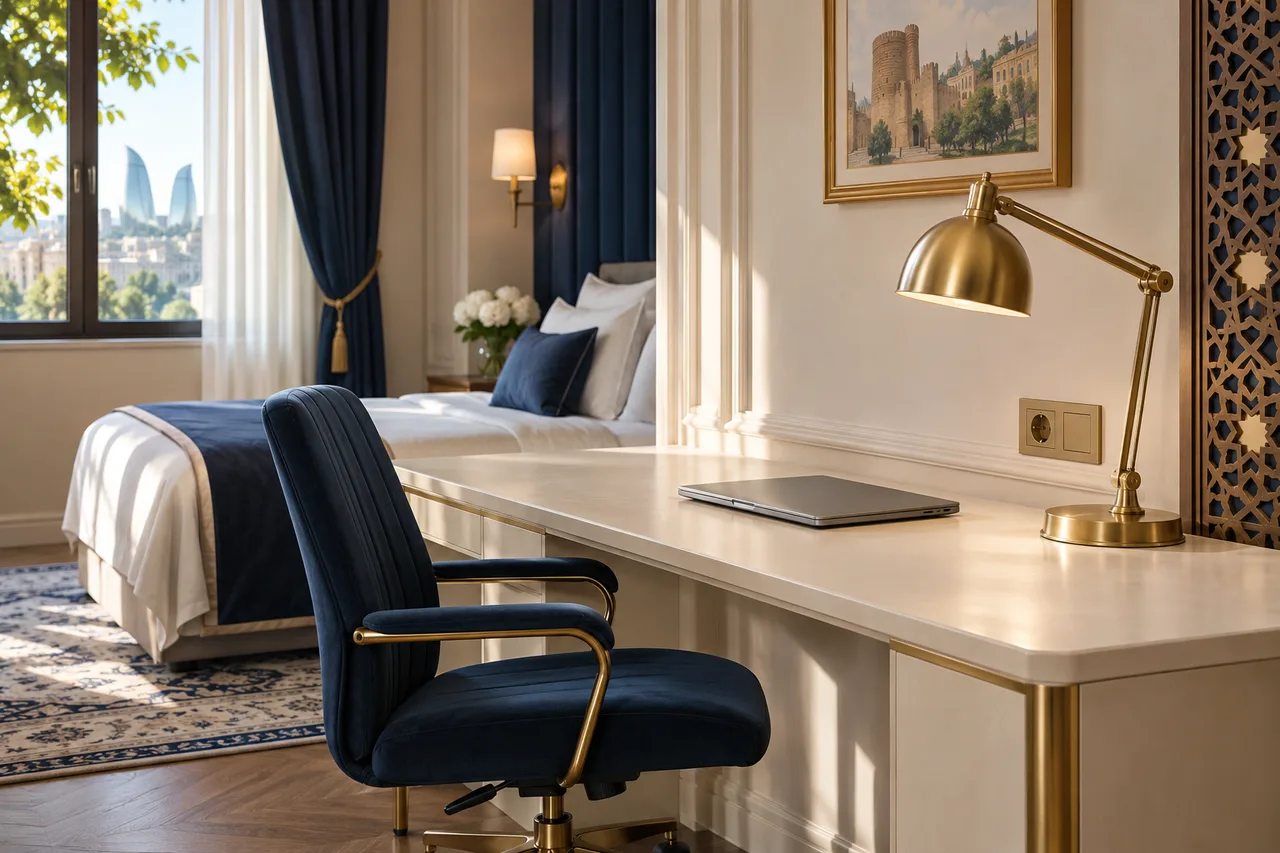
Send a photo of the offered category rather than an unrelated gallery image. If no particular room has been allocated, say so. If desk dimensions are unknown, arrange to measure them and give a response time instead of guessing.
Comfort varies between people. Describe the checked chair and desk features rather than promising that everyone can work comfortably all day. Offer an extra monitor, printer or adapter only when actually available, with its conditions clearly stated.
Describe internet service honestly
Explain whether Wi-Fi is included, how guests connect and any known device or usage restrictions. When sharing a test result, state the room, date, time and conditions. Do not turn one measurement into a minimum speed promised at every hour.
Do not ask for work-account passwords or access to a guest’s confidential applications. Refer unknown compatibility questions to the appropriate hotel colleague. If a connection problem occurs after arrival, use the separate guest Wi-Fi assistance process.
Check real alternatives too. If a separate work area or meeting room exists, confirm its hours, price and privacy. A quiet-looking public lobby is not equivalent to a private room for a video call, and availability should not be assumed.
A written reception reply
“We are sending desk and chair photos for your selected category. A task lamp and a socket near the desk have been checked. Wi-Fi is included; we cannot guarantee identical connection quality throughout the day. Room access is confirmed for [start–finish]. Here is the information about [known work or event]. Extra hours or attendance by another person require separate confirmation.”
Replace the brackets with verified facts. The template is not a ready-made promise that these services exist. If sound is a priority, add the quiet-room clarification. Attach the agreed details to the booking and include them in shift handover so the next colleague does not repeat an outdated answer.
Frequently asked questions
Is “work desk” in a room description enough?
No. A relevant photo, dimensions, chair, lighting and socket position better explain whether the setup fits the intended task.
Should the hotel guarantee uninterrupted video meetings?
Confirm only service conditions the property can substantiate. Ordinary Wi-Fi availability does not itself guarantee uninterrupted video calls.
Does a daytime working booking include an overnight stay?
Not automatically. Hours, departure and any overnight option must be checked and confirmed for the hotel’s specific offer.
These guides are published by BirOtel. General methods, illustrative examples and current product capabilities are identified separately. Sources appear beside the relevant explanations.
[email protected]Explore these workflows for your own hotel
Use your room inventory and daily tasks to assess whether BirOtel fits your hotel in a live demo.