
BirOtel · For hotels in Azerbaijan
Hotel payments and reports in one place
A guest account, a received payment and room revenue answer different questions. BirOtel connects these records to help reception handle settlements and management review results for a selected period.
14-day free trial · App interface in Azerbaijani and English
See your cash flow
The cashier module shows receipts, refunds, expenses and net cash flow for a selected period. A breakdown of cash, card and bank transfer records helps you see how payments were received. Partial payments are shown alongside the guest’s outstanding balance.
- Review receipts and expenses for the period you choose.
- Check the breakdown by payment method.
- Follow outstanding balances and confirm the account before check-out.
Bring accommodation and services onto one account
A guest’s final bill may include more than the room charge. Minibar, laundry and other services can be added to the booking account. The invoice screen shows individual lines and the total, and the document can be printed from the system.
- Select additional services from the catalogue and add them to the account.
- See accommodation charges and service lines separately.
- Check payments and the remaining balance when settling the account.
Review occupancy alongside revenue
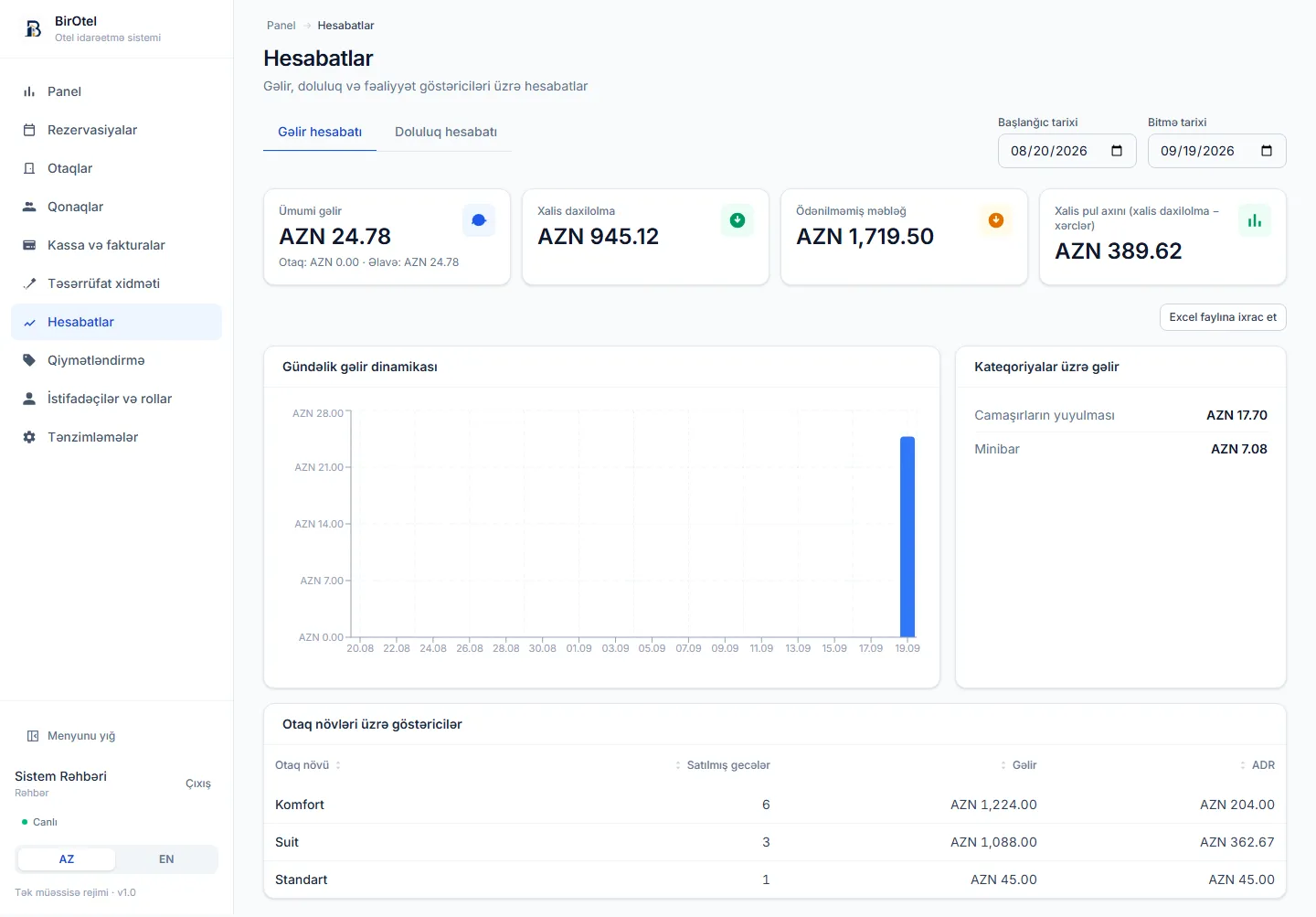
Cash received alone does not tell the whole story of room sales. The dashboard shows occupancy, revenue, ADR and RevPAR. Reports let you compare room nights sold and revenue by period and room type.
- ADR helps you understand average revenue per room night sold.
- RevPAR tracks room revenue relative to available room inventory.
- Export reports to Excel for further analysis.
A practical workflow
From guest settlement to management reporting
- 1
Keep records up to date
Record guest services, payments and hotel expenses in the relevant modules. Reports depend on the data entered.
- 2
Review the period’s results
Check payment methods, balances and net cash flow in the cashier module. Compare room sales with occupancy and revenue reports.
- 3
Share the analysis with your team
Export the report you need to Excel. Use roles and access permissions to control which sections each employee can view in the system.
Before you decide
Frequently asked questions
Does the application process card payments?
This feature records payments made by card, cash or bank transfer. Bank acquiring and online payment integration are not offered as standard features; these requirements can be discussed separately.
Can cashier records and reports be restricted to management?
The users and roles module lets you set permissions by section and operation. Configure access for reception, management and other employees according to their responsibilities.
Do I need an extra package for reports?
Basic reports, cashier records, invoices and Excel exports are included in every standard plan. Custom reports, features and integrations are priced separately.
The next step for your hotel
Explore cashier and reporting screens in a live demo
Introductory plans start at 59 AZN/month. Standard hosting, updates and technical support during business hours are included. Prices exclude VAT; optional initial setup is charged separately.